The whole job, one platform
Intake to payment, connected — so execution truth and what you bill stay in sync, and job costs roll up without anyone re-keying a thing.
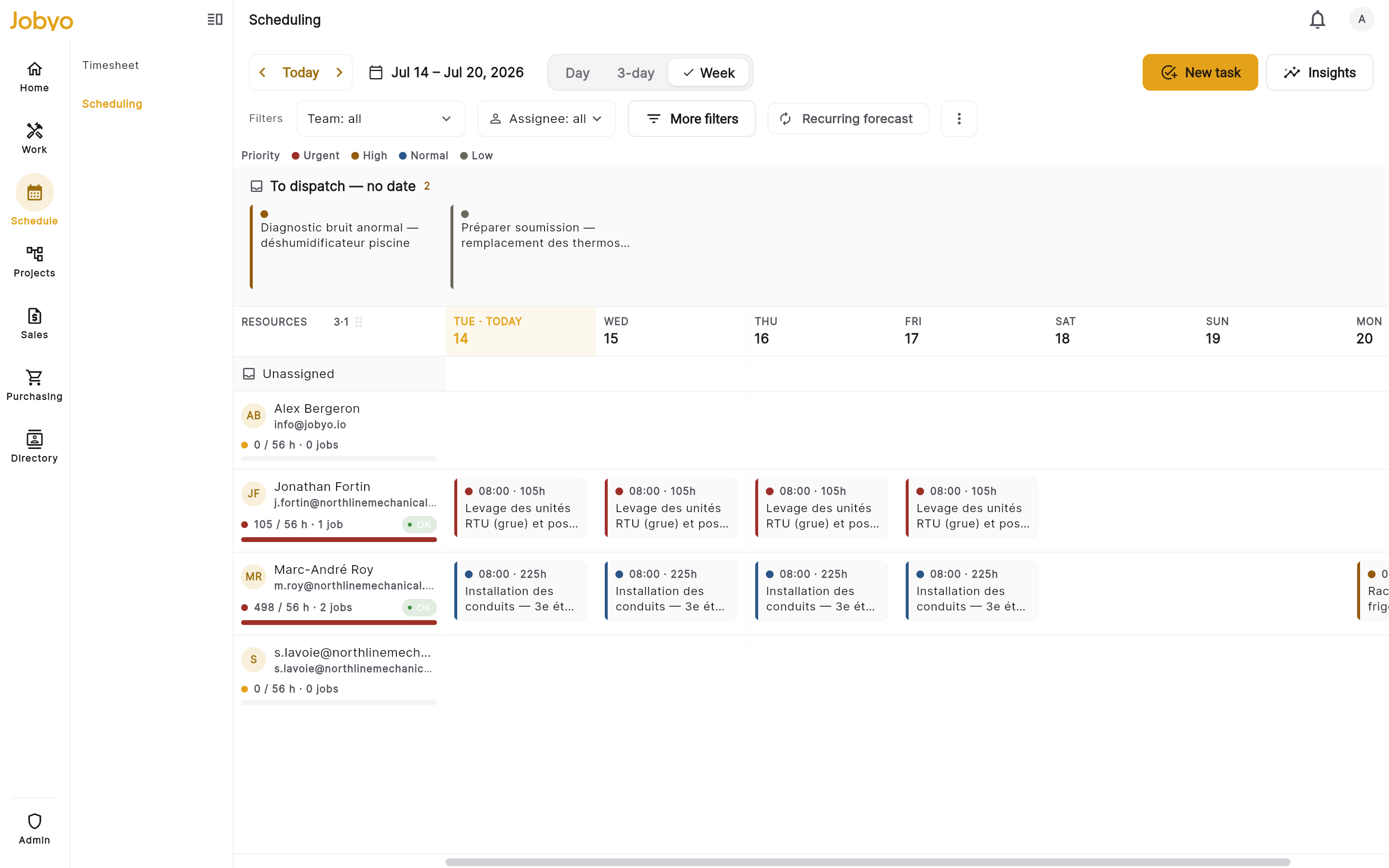
See the whole crew's day — and fill it in a few drags
The dispatch board lays out every technician's day and week in one view. Drag a job onto the right person, move it when plans change, and the field sees the update instantly — with overbooking detection so you never quietly overload a technician.
- Match jobs to the right trade, availability and current load
- Dispatch to a crew or a single technician, team-scoped views
- Reschedule by dragging — the field app updates at once
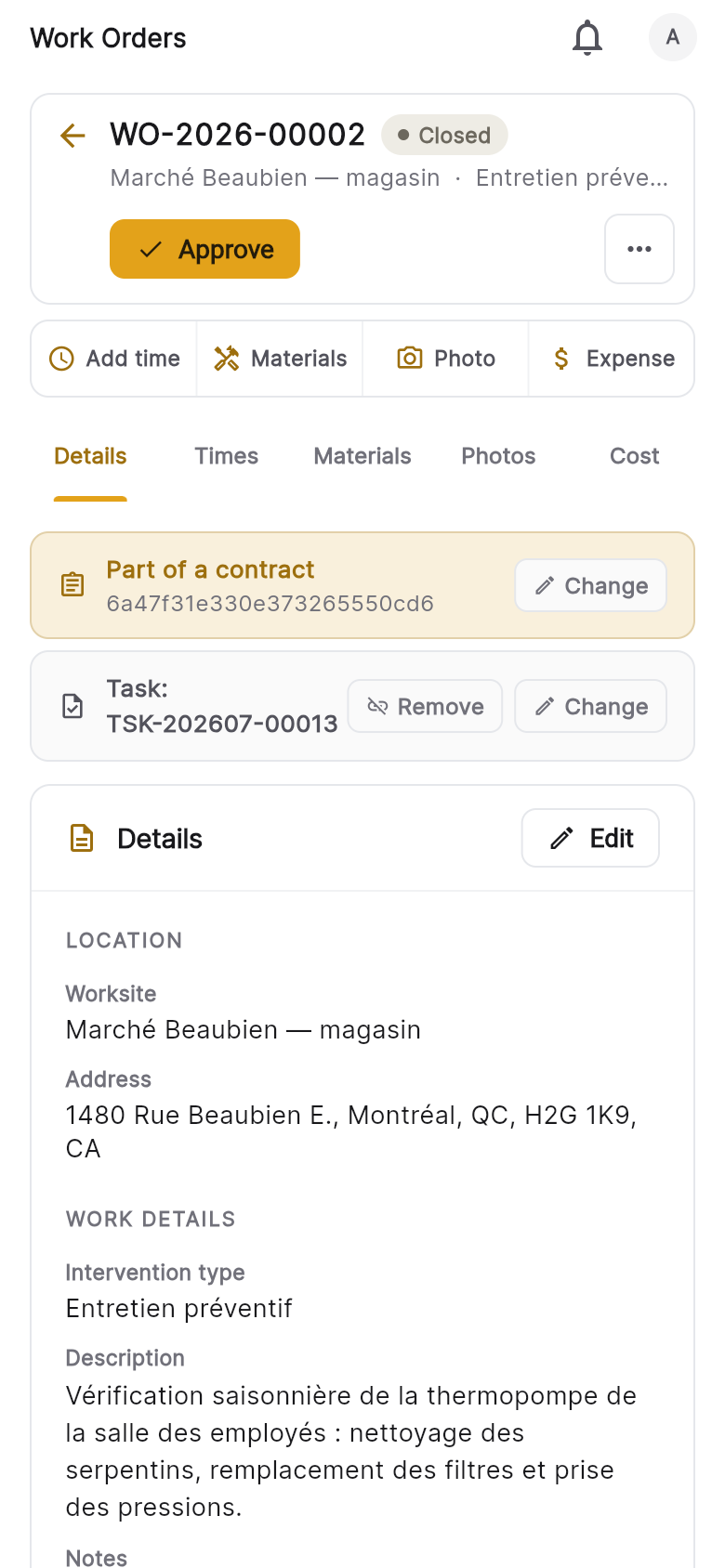
Capture the truth of the job on site
In the field, the work order is the record of what actually happened — GPS-stamped check-in and check-out, time, materials, expenses and photos, all from a phone. Managers and finance review it before anything is billed, so execution truth stays separate from the invoice.
- GPS-stamped check-in and check-out
- Photos, time, materials and expenses from the field
- Managers and finance review before it's billed
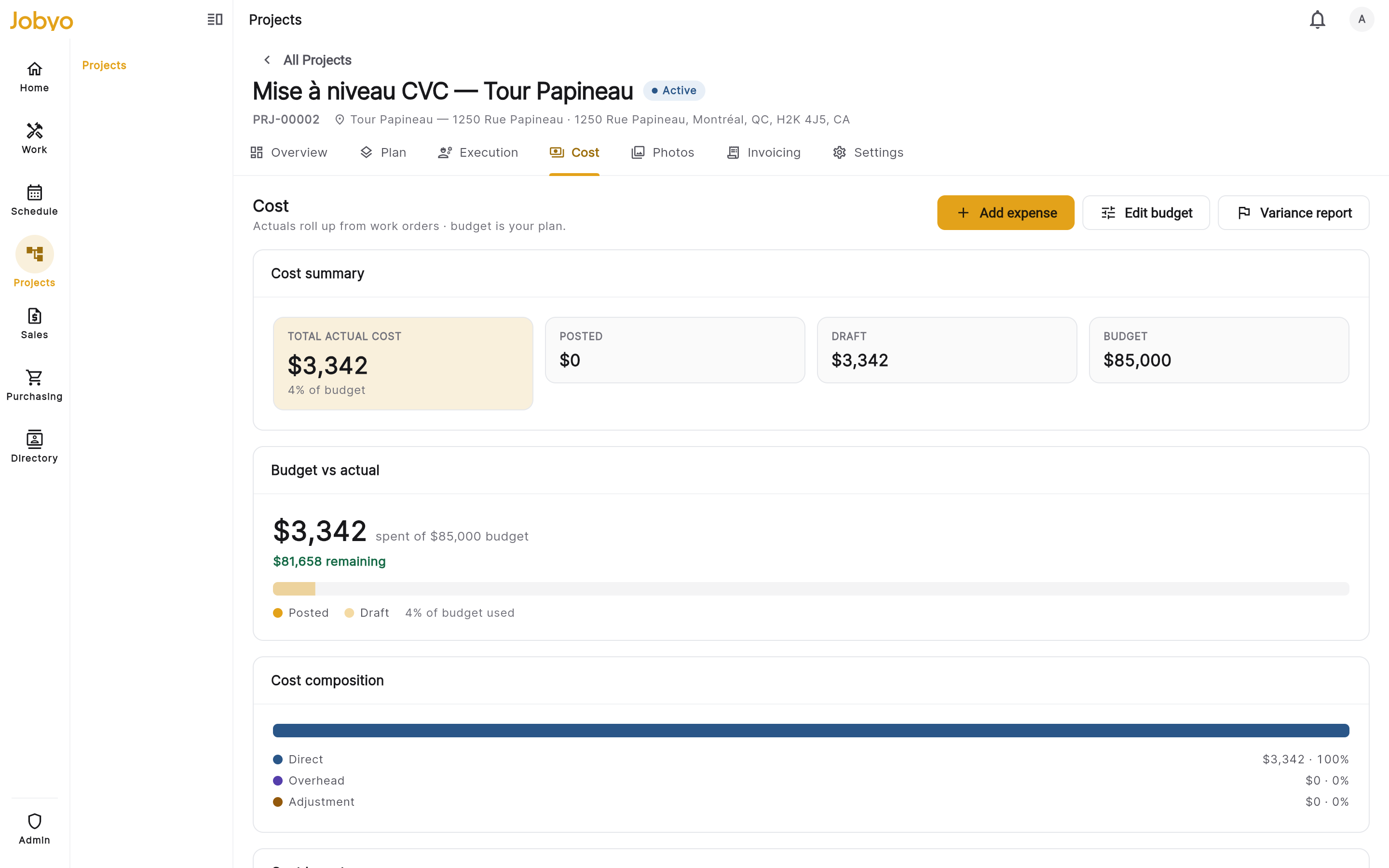
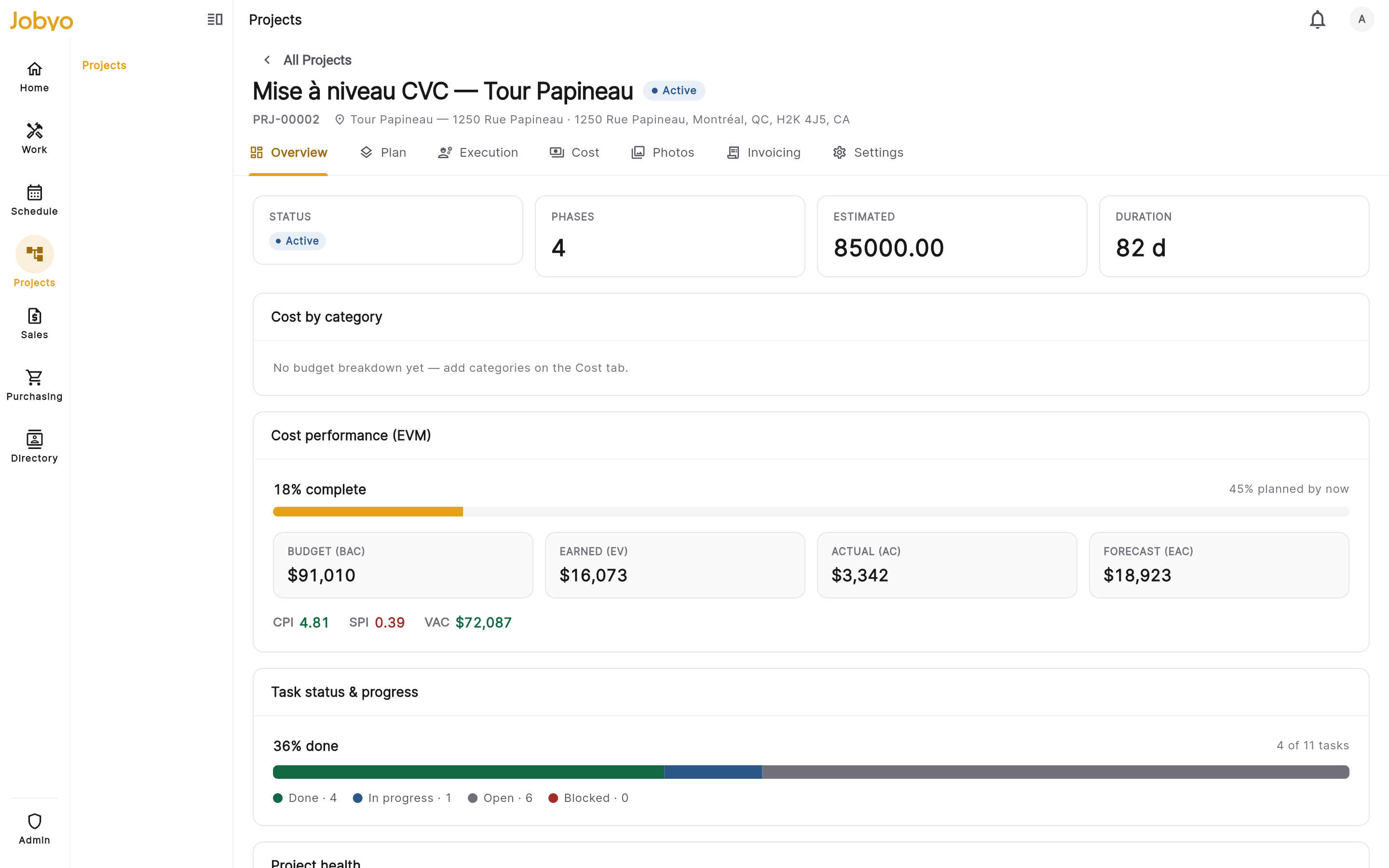
See what every job actually costs — live
Labour, materials, expenses and purchase allocations roll into an actual-cost ledger per work order, phase and project, and compare against your budget as the work happens — so you catch variance and protect margin while the job is still open. No manual cost entry, ever.
- Actual vs. planned, always on
- Variance and margin per work order, phase and project
- Catch overruns while the job is still running
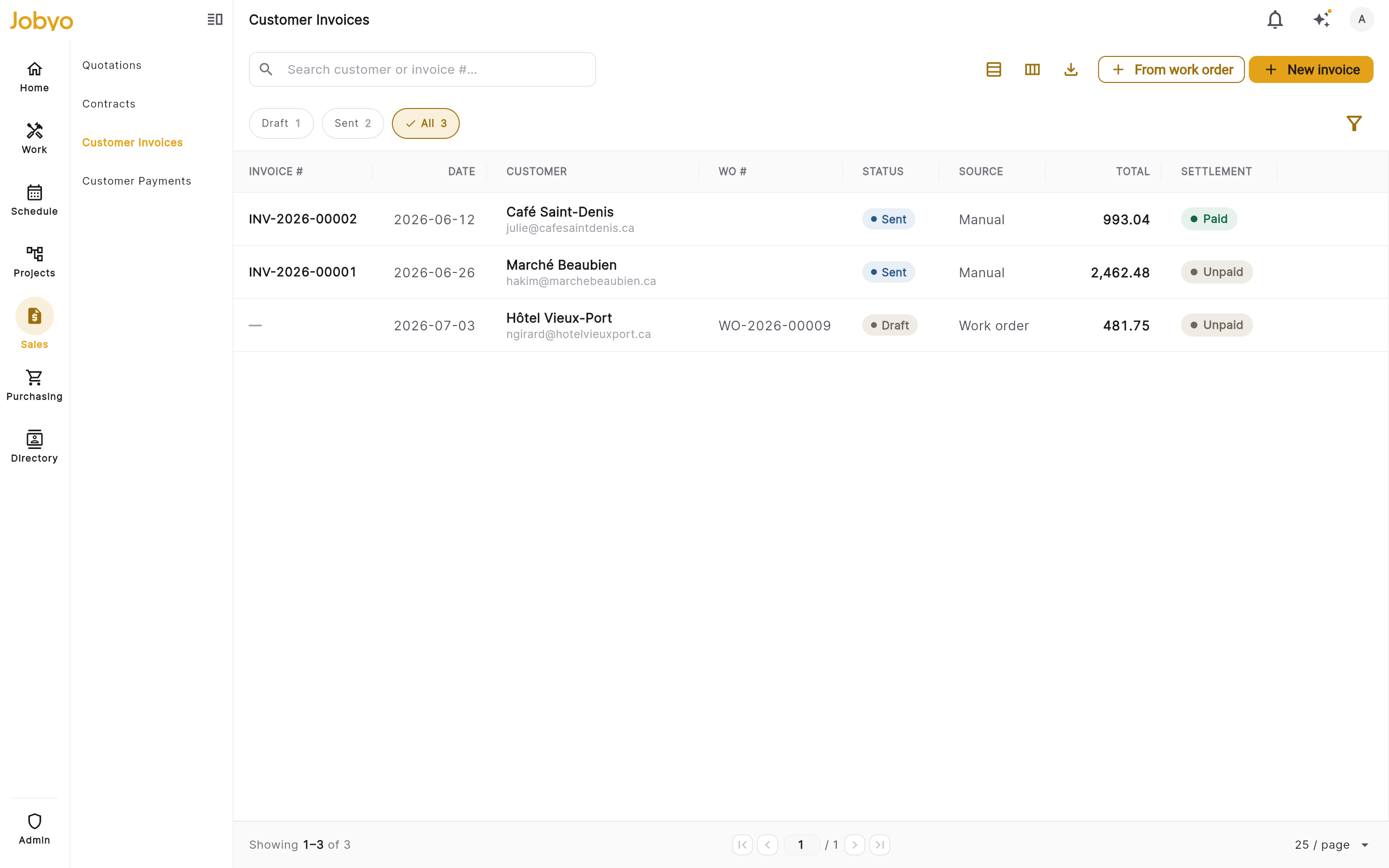
Quote it, bill it, track every payment
Send quotations with a clean draft-to-accepted lifecycle and server-computed totals. Invoice standalone, project or contract work — with tax captured at send — then record and allocate payments however customers pay.
- Quote → project → work order → invoice, one lifecycle
- Tax snapshot at send, multi-rate support
- Record & allocate card, bank, cash, cheque or Interac
Supplier costs that find their way to the right job
Raise purchase orders, receive goods, and allocate supplier costs to jobs and projects with no double-counting. Connect Gmail or Outlook and Claude reads incoming bills into draft purchase invoices — you confirm before anything books, never auto-posted.
- Claude extracts supplier, lines, taxes and totals
- Purchase orders + goods receipts route cost to jobs
- 50 / 100 / 200 scans per month by plan
How the work flows
From the first request to the final invoice — and every cost landing exactly where it belongs.
Field operations Request → paid
Purchasing & procurement Business+
Cost & cost distribution Pro+
- Labour — from time logs
- Materials used on site
- Expenses (parking, tolls…)
- Purchase allocations
See the whole job on one screen.
Get started with Jobyo, or book a walkthrough with our team — and know what every job costs, from request to paid.