Run every job from
request to paid.
Jobyo gives trades and service teams scheduling, work orders, live job costing, and invoicing that actually talk to each other. Watch each job's actual cost climb against budget in real time. Bill it accurately. Nothing falls through.
14-day free trial · no credit card · Built for HVAC, plumbing, electrical, and facility maintenance teams.
Built on infrastructure you already trust — and AI that does real work
Spreadsheets, paper job sheets, and disconnected billing lose you money on every job — and no one knows what the work actually cost.
One connected flow from request to payment — so costs roll up automatically, billing is accurate, and nothing slips between the cracks.
See what every job actually costs — live, against plan
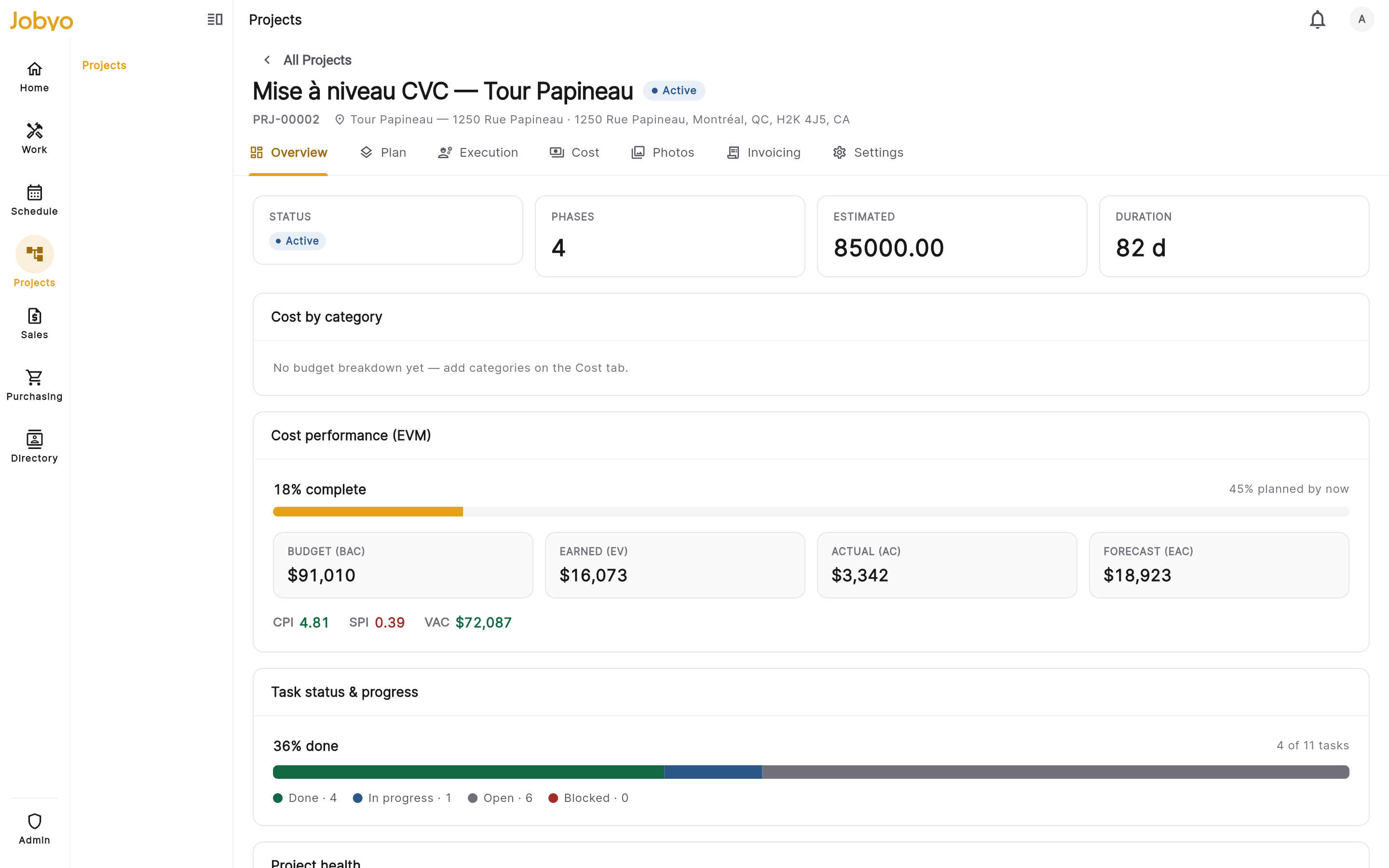
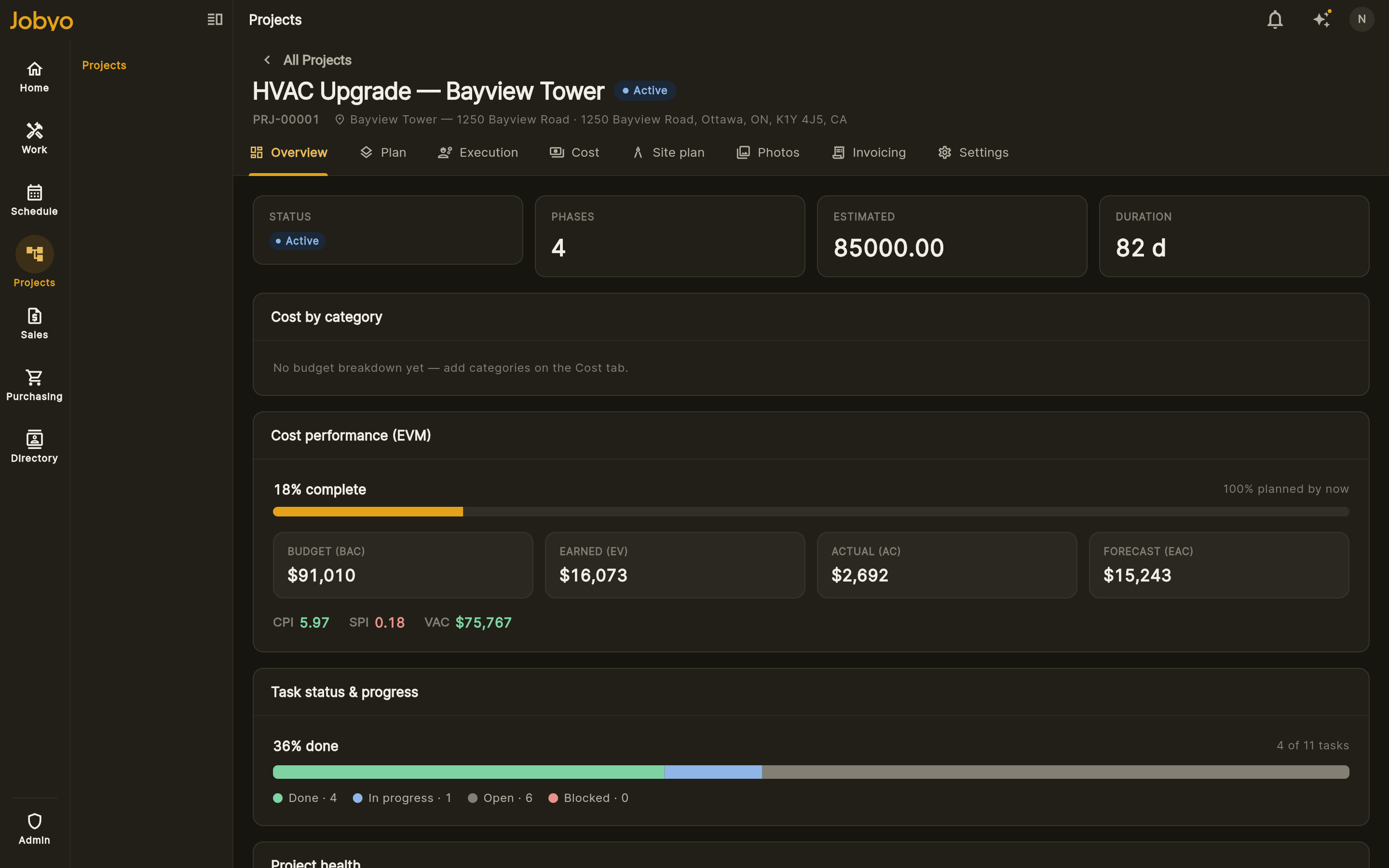
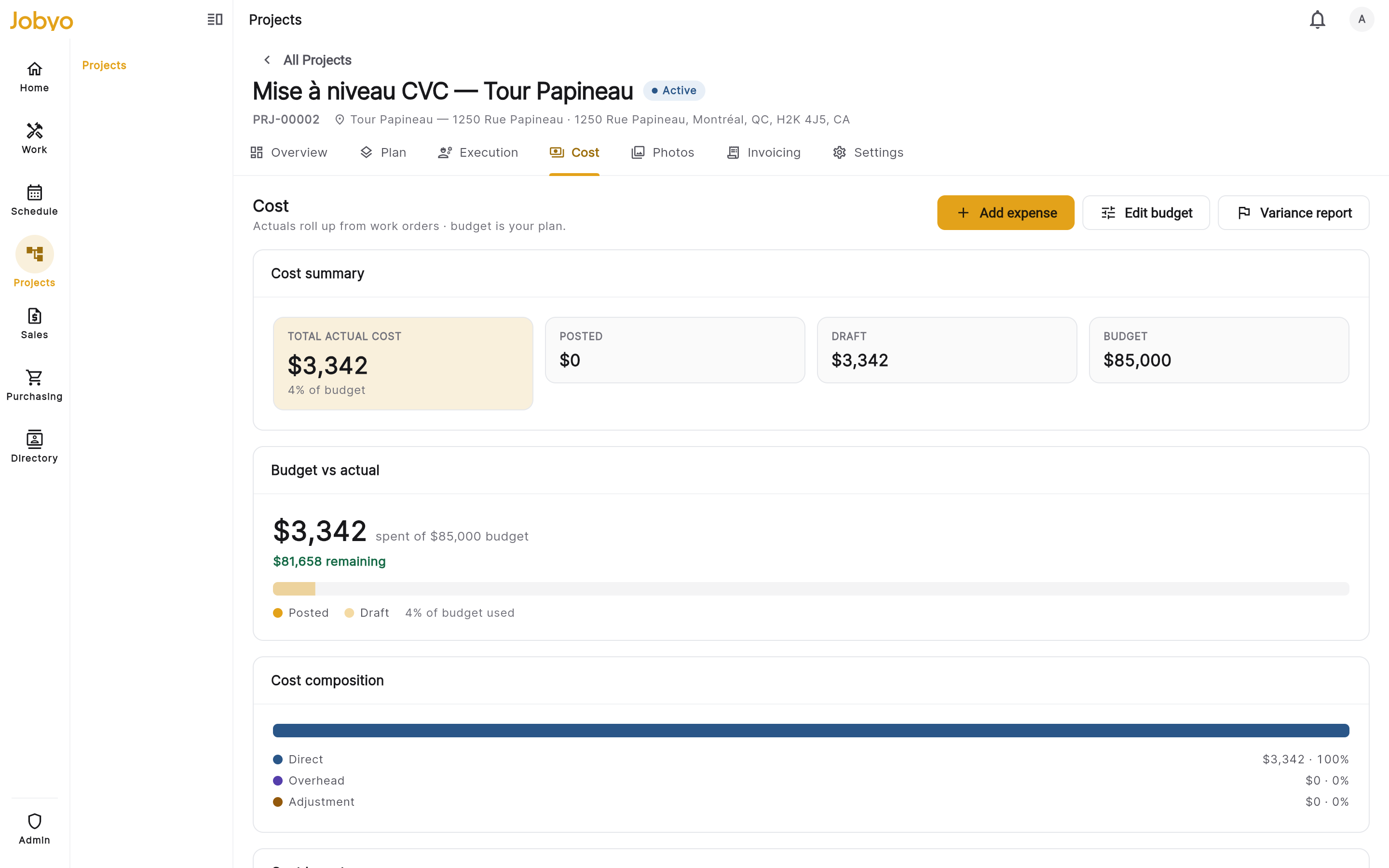
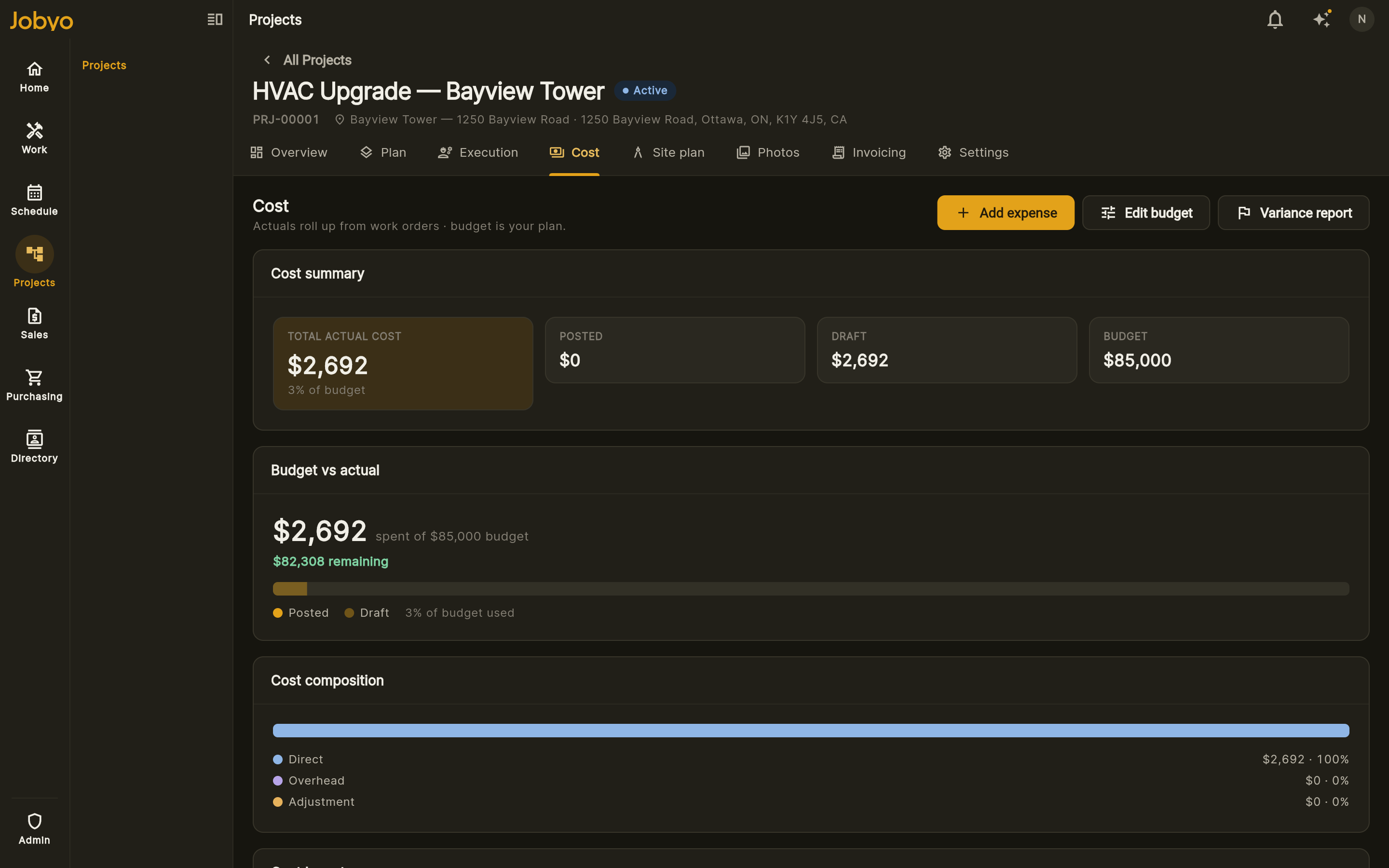
The moment a technician logs time, adds materials or files an expense, Jobyo rolls it into the job's actual cost and compares it against your budget in real time. No exports, no month-end surprise — watch actual vs. planned move as the work happens, on every work order, phase and project.
- Actual vs. planned, always on
Budget, earned value and actual cost sit side by side — per work order, phase and project — and update the instant the field logs work.
- Fed straight from the field
Labour, materials, expenses and purchase allocations roll up automatically. No spreadsheets, no manual cost entry, ever.
- Protect margin while it's open
Catch overruns and variance while the job is still running — not weeks later when you've already invoiced.
Business management that earns its place
Live job costing
Actual cost updates the moment the field logs work — and sits right next to your budget, so you see actual vs. planned in real time, not at month-end.
Pricing that scales with you
Transparent tiers from a two-person crew up to enterprise. Pay for what you use — value isn't hidden behind a sales call.
Depth when you need it
Projects, contracts and SLAs, procurement, and AI invoice processing — there when your operation grows into them.
Everything the job touches, connected
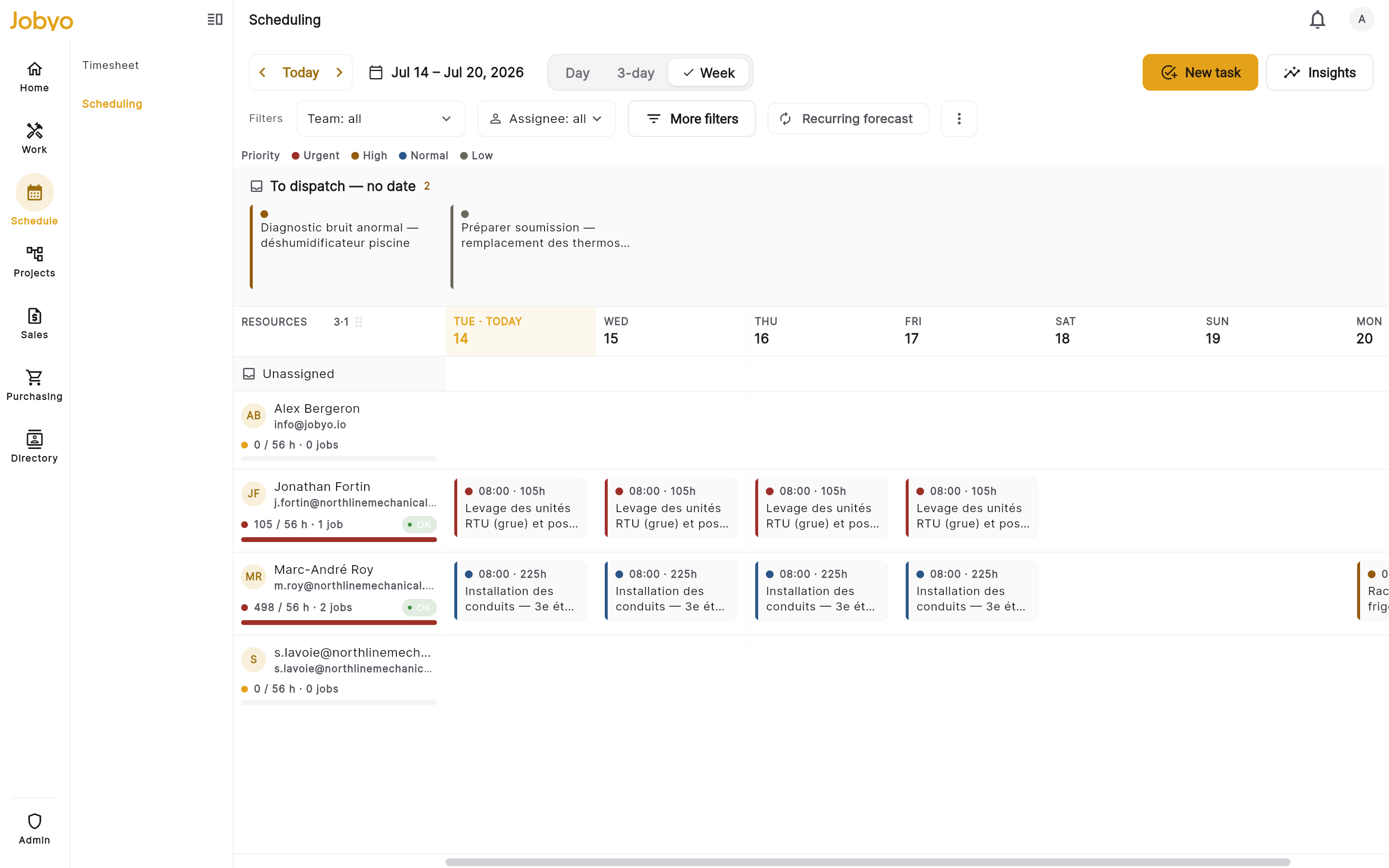
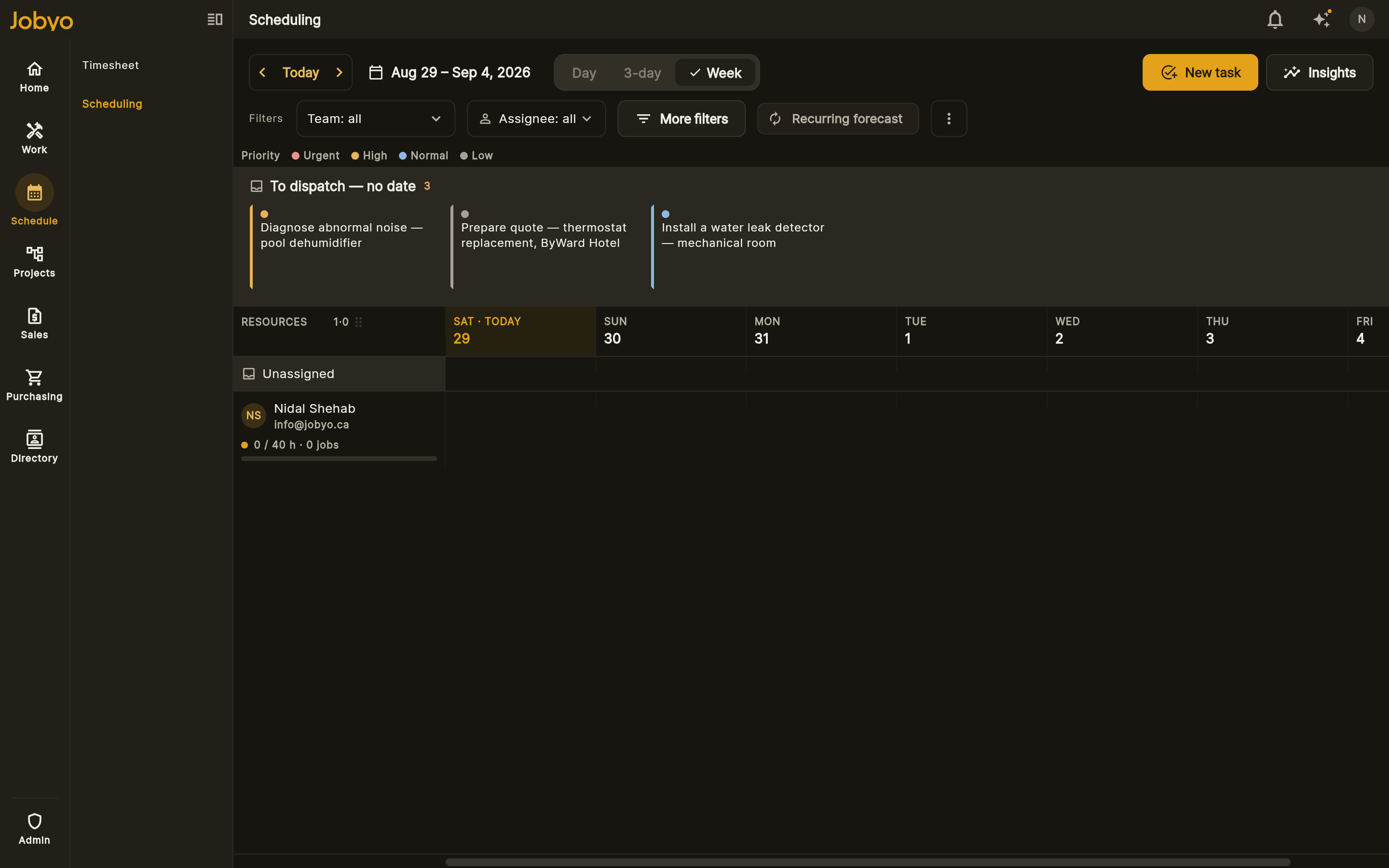
Scheduling & dispatch
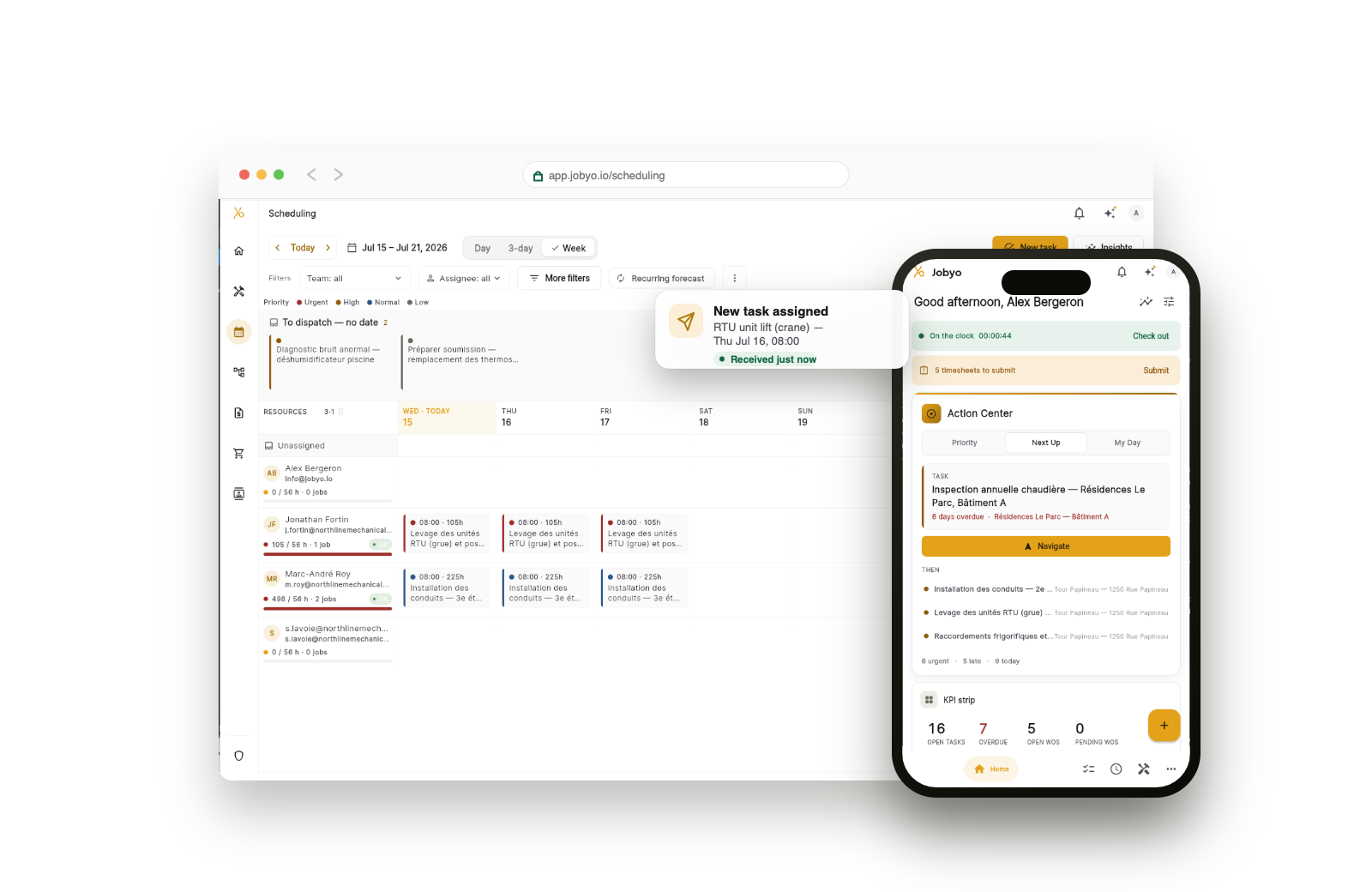
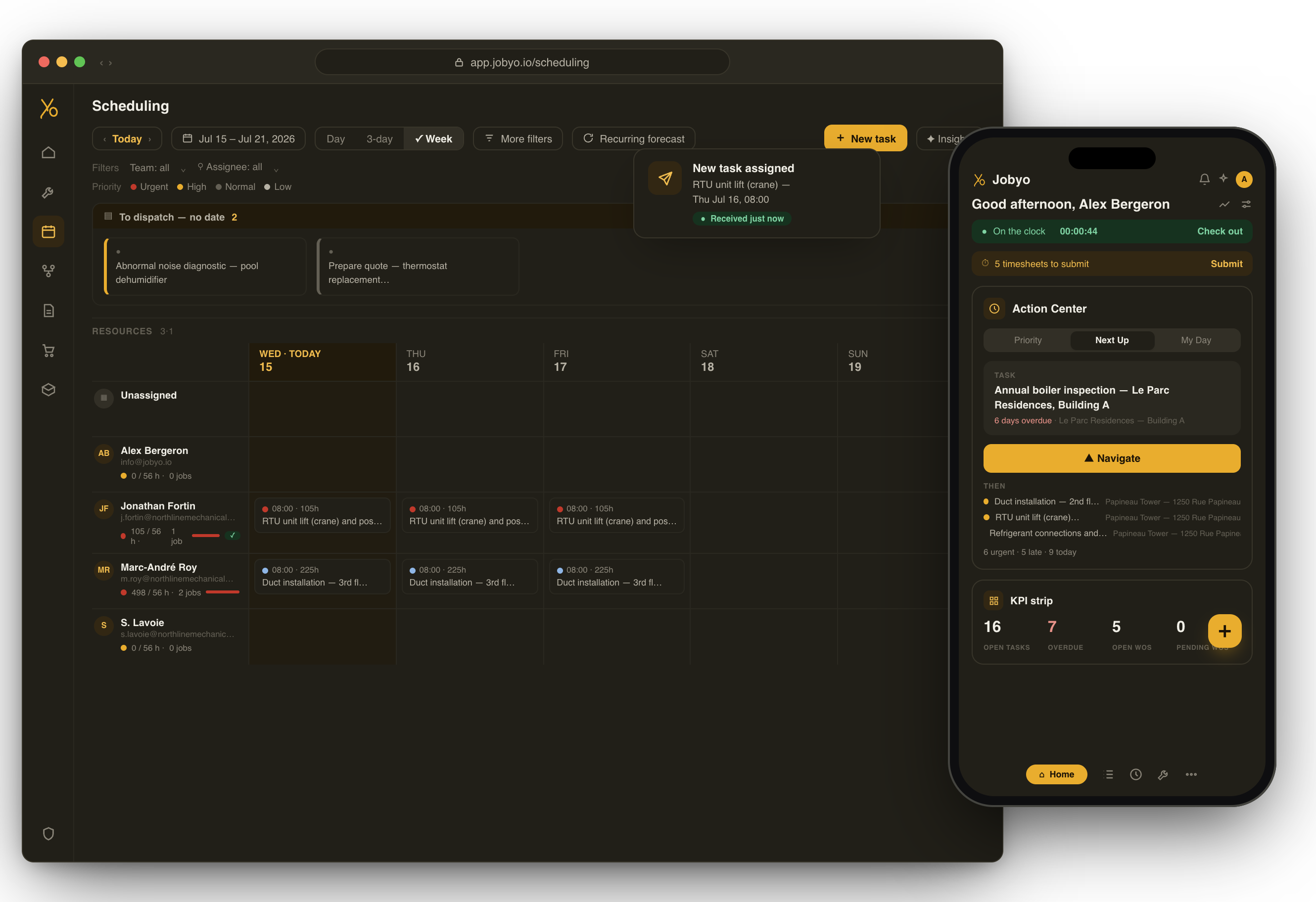
Assign the right tech to the right job and see the whole day at a glance. Drag to reschedule, and the field sees the change at once.
- Capacity and skills before you assign
- Crews and dispatch groups, team-scoped views
- Changes reach the field app instantly
Work orders & field execution
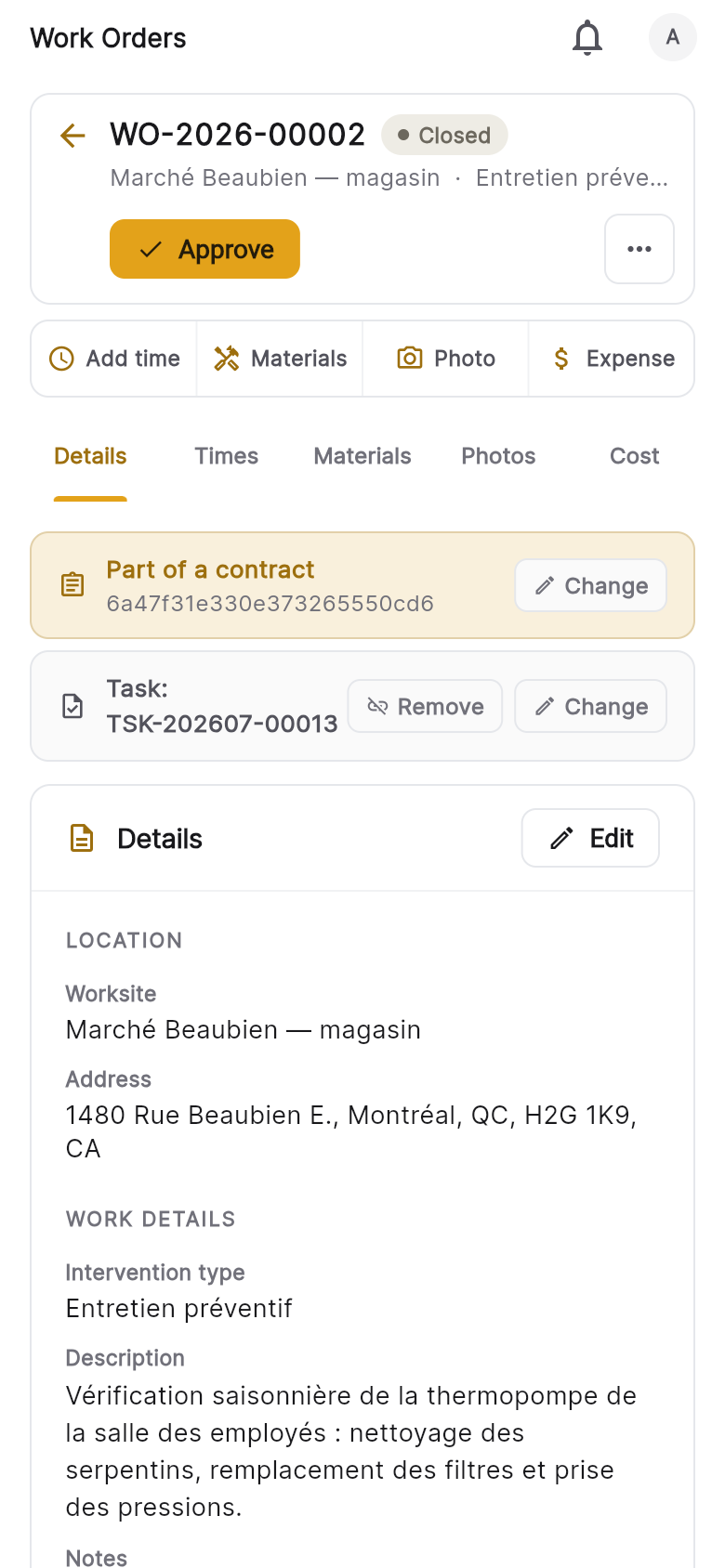
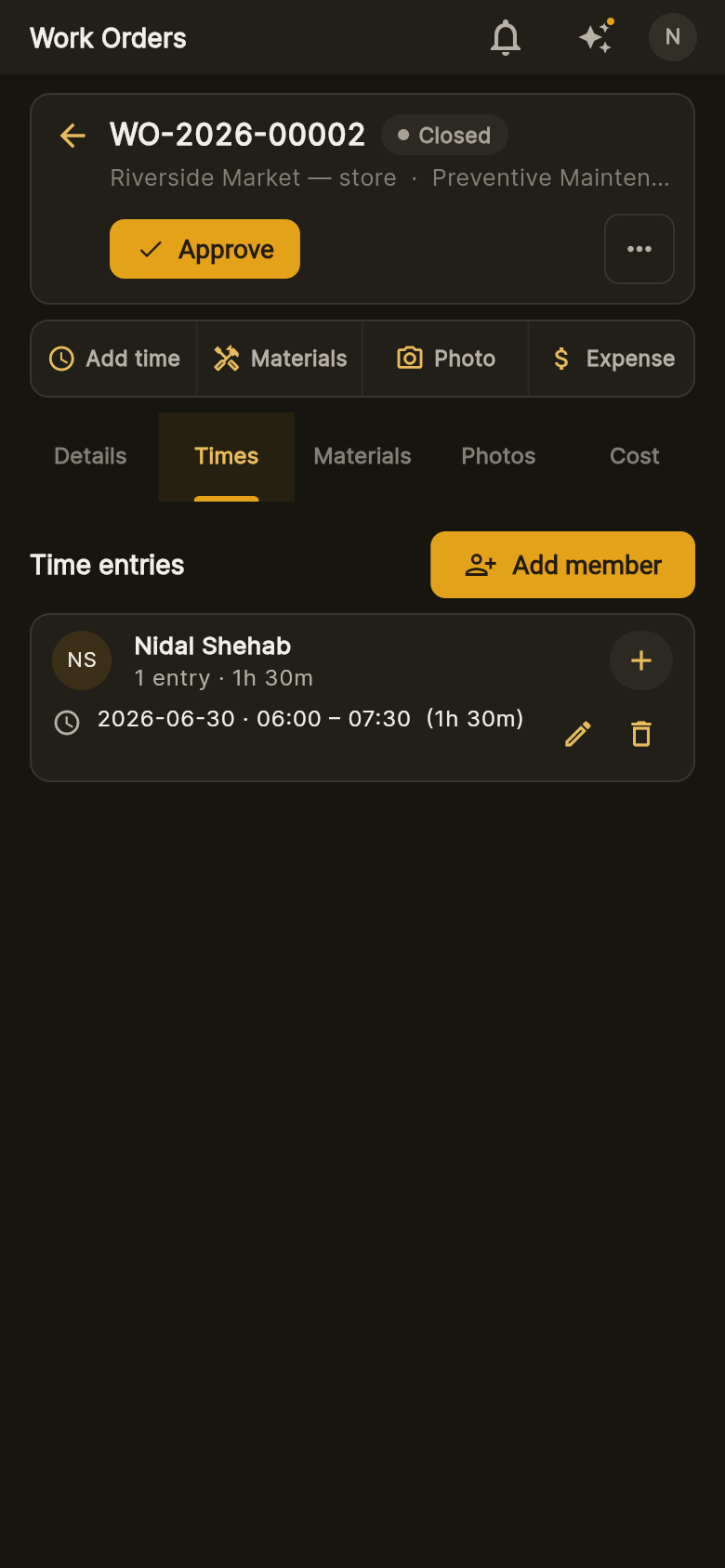
Technicians capture photos, time and expenses on site from a phone. The work order holds the truth of what was done — before anyone bills it.
- Photos, time and expenses logged in the field
- Equipment and worksite lookup by code
- Managers and finance review before billing
Automatic cost rollups
Labour from time logs, materials, expenses and subcontractor costs roll up per work order, project and phase in real time — no manual cost entry, ever — so actual vs. planned is always current.
- Actual-cost ledger fed from the field
- Per-work-order and per-project rollups
- See planned vs. actual and protect your margin
Invoicing & payments
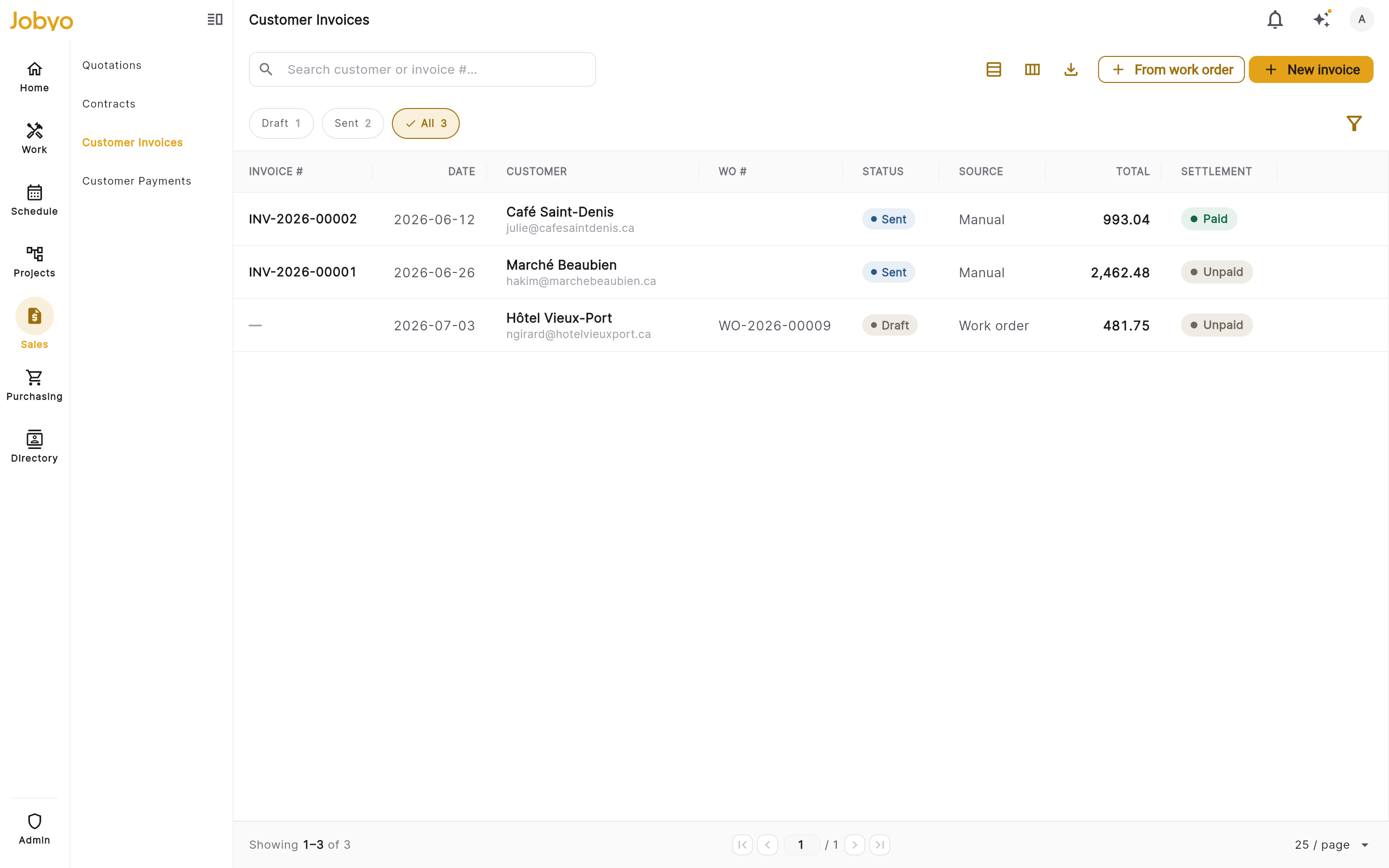
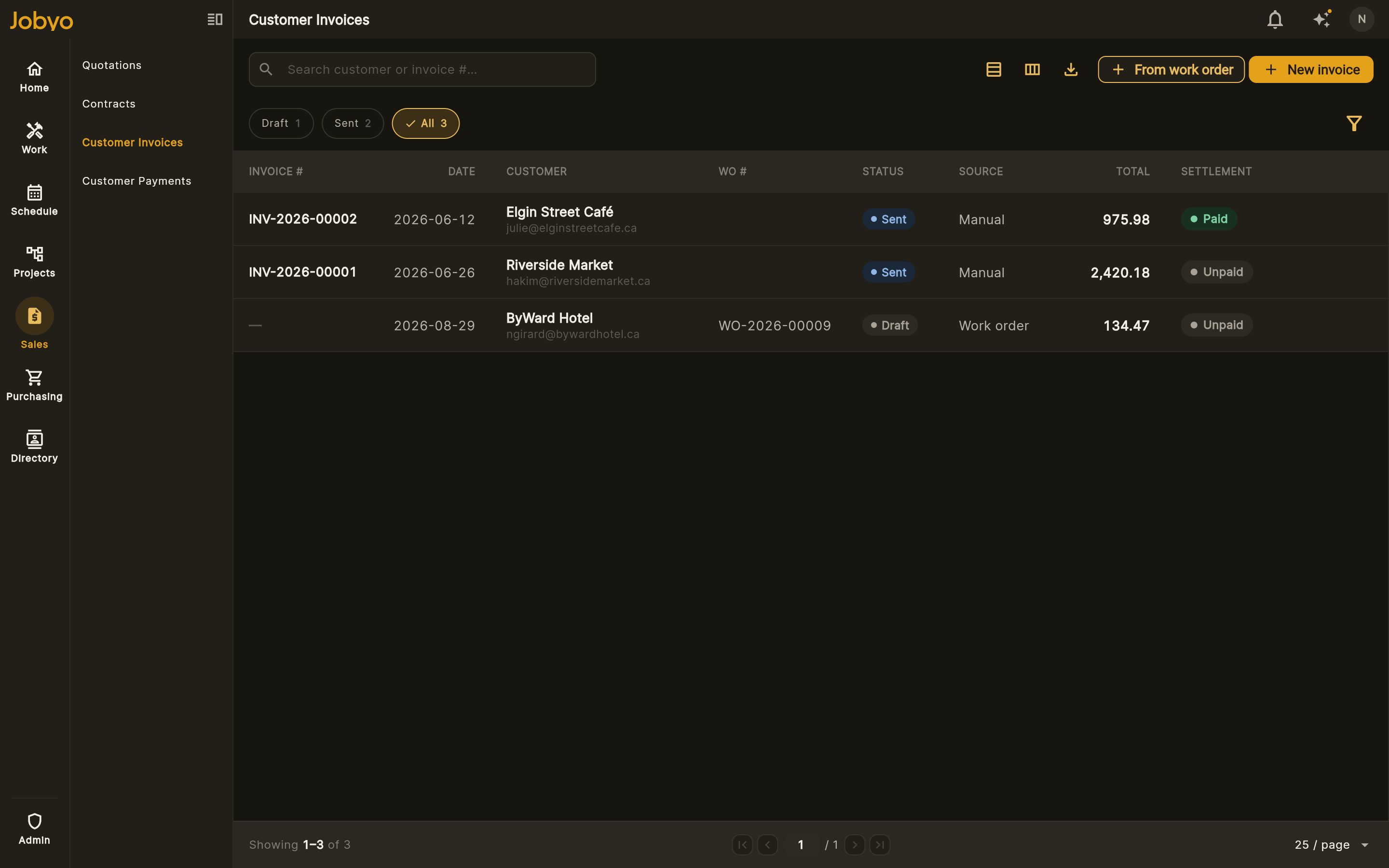
Bill standalone calls, whole projects or contract work — with tax captured at send. Record payments by card, bank, cash or cheque and allocate them across invoices.
- Standalone, project or contract billing
- Tax snapshot at send, multi-rate support
- Record card, bank, cash, cheque or Interac
One platform, from the field to the finance office
Six areas of capability that actually talk to each other — with live job costing as the difference you'll feel first.
Field operations
- Work orders, tasks & service requests
- Mobile field ops — GPS-stamped check-in/out, photos, push
- Scheduling & dispatch with overbooking detection
- Quote → project → work order → invoice, one lifecycle
Job costing & cost control
The differentiator · Pro+- Live actual cost — labour, materials, expenses roll up
- Planned-vs-actual variance & margin, while the job is open
- Purchase allocations route supplier cost to jobs
- Projects + phases with frozen baselines
Procurement
Team+ · PO/GR Business+- Purchase orders + goods receipts — full procure-to-pay
- Items catalog & inventory stock
- Purchase-invoice recording
- Record & allocate supplier payments
Reporting & export
Team+ · advanced Pro+- Financial reporting — ledgers + tax, CSV/Excel export
- AR/AP aging, profitability & variance
- Export to QuickBooks (CSV/IIF for import)
- QuickBooks Online sync — coming soon
AI invoice capture
Team+- Claude reads the invoice — supplier, lines, tax, totals
- You confirm before anything books — never auto-posted
- Outlook & Gmail inbox import
- 50 / 100 / 200 scans a month by plan
Platform & access
- Role-based access with field-level cost redaction
- Custom roles on Team and up
- Maintenance / SLA agreements
- Available in English & French
From request to paid in four steps
Capture request
Intake by phone, email or portal becomes a service request — with the customer, site and priority.
Schedule & dispatch
Turn it into a work order and assign the right technician with the skills and time to do it.
Execute in the field
The tech logs time, materials, expenses and photos on site — from their phone.
Cost & invoice
Costs roll up automatically and the work becomes an accurate invoice, ready to send.
Supplier bills that capture themselves
Connect Gmail or Microsoft and Jobyo pulls in invoice and receipt attachments. Claude reads each one — supplier, line items, tax and totals — and drafts a purchase invoice, allocated to the right job.
Connect your mailbox
Link Gmail or Microsoft 365. Jobyo watches for invoice and receipt attachments automatically.
Claude reads it
OCR and line-item extraction pull supplier, items, tax and totals from any PDF or photo.
Powered by ClaudeDrafted & allocated
A purchase invoice is created and allocated to the work order or project, ready to review.
Available on the Team plan and up
Simple plans, founding prices
Four self-serve plans plus Enterprise. Founding launch: 30% off your first 12 months, then list. Extra users CA$45/user/mo. 14-day free trial, no credit card.
- Work orders, quotes & invoices
- Mobile field ops
- Record & allocate payments
- Scheduling, projects & SLA
- AI invoice capture (50/mo)
- Reporting + CSV/Excel export
- Live job costing & variance
- Purchase allocations to jobs
- Advanced reporting
- Purchase orders + goods receipts
- AI invoice capture (200/mo)
- Highest quotas
- Custom limits & terms
- Custom roles & onboarding
- Priority support
Live job costing, answered
Yes. The moment a technician logs time, materials or an expense in the field, the actual cost of the work order, phase and project updates — no exports, no manual entry.
Every job and project shows budget, earned value, actual cost and forecast side by side, with CPI/SPI and cost variance, so you catch overruns before you invoice.
Labour from timesheets, materials, expenses and allocated purchase invoices — everything rolls up automatically, with no double entry.
Yes. Costs roll up per work order, per phase and at the project level, with frozen baselines and a budget-movement audit trail.
Live job costing is core to Jobyo and available from the standard plans; advanced projects and AI invoice processing come with the higher tiers.

Take Jobyo to the field
Work orders, scheduling, time and photos — on iOS and Android.
Scan the code with your phone’s camera, or grab it from your store.


Start running better jobs today.
Bring one crew or your whole operation onto Jobyo — and know what every job costs, from request to paid.